
How to use Resurface

Your saved content,
back in motion.

Resurface gives links, posts, screenshots, and notes one private home. Here is how each part works, from the first save to a grounded Brief.

01

Save

Capture without reorganizing your life.

Add a URL or text directly in Resurface, or use the iOS Share Sheet from Safari and other apps. You can save:

  • Articles and web pages
  • Posts from X, LinkedIn, Substack, and other sources
  • Selected text and your own notes
  • Screenshots and images you choose to share

Resurface extracts useful context in the background. Your save remains in the Library even when processing takes time or a public page cannot be fully read.
02

Library

Everything you chose to keep, in one place.

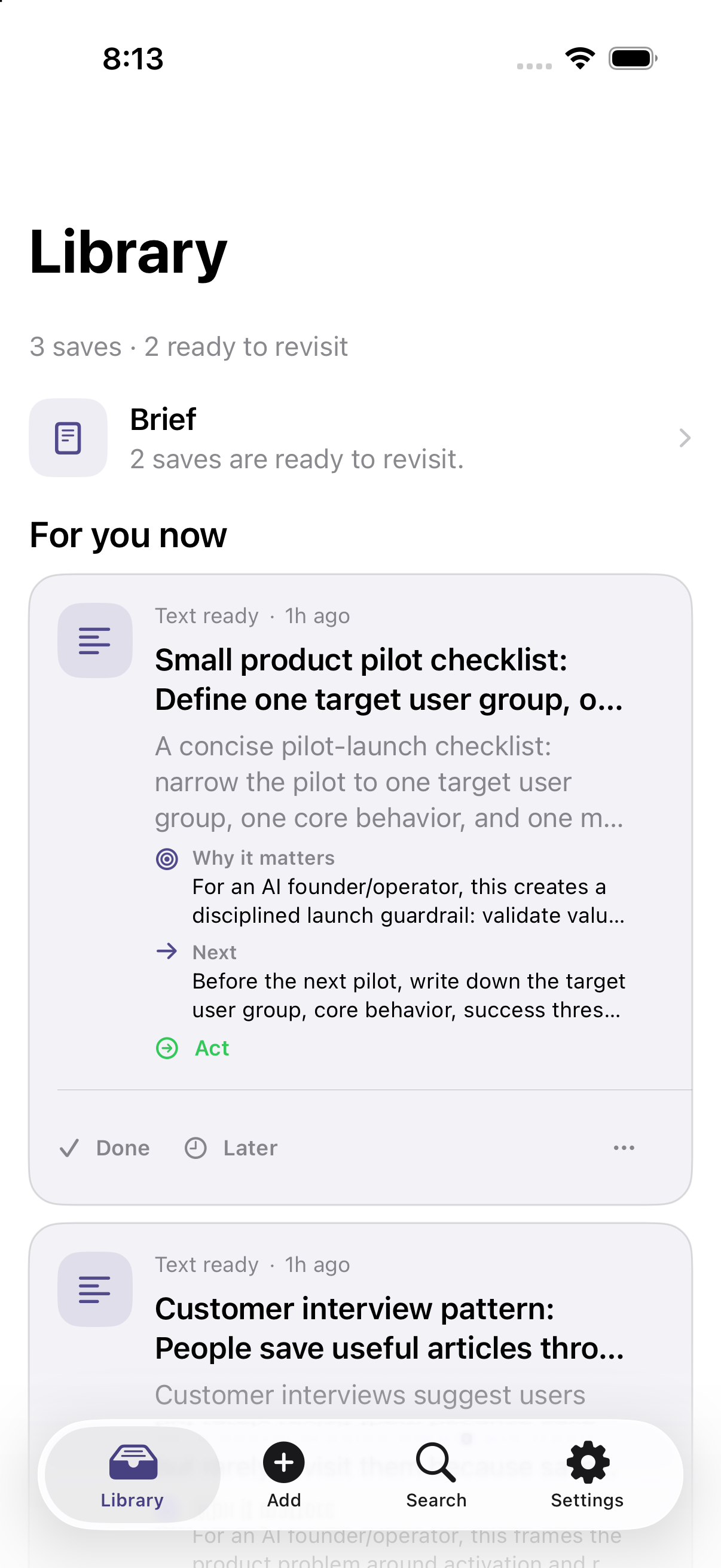
The Library shows all saves and separates items that are ready to revisit from saved-only items. Open any item to see its source, summary, and grounded context.

Resurface Library with two items ready to revisit
Ready items surface useful context. Saved-only items remain private and searchable.
03

Recommendations

Know why something came back.

Ready items can include a summary, Why it matters, and a suggested Next step. The recommendation label tells you the intended use:

ReadRevisit and understand the saved material.
ActReturn because the content suggests a practical next step.

These are recommendations, not automatic actions. Resurface never performs the suggested work for you.

05

Briefs & audio

Connect related saves into one grounded catch-up.

When enough ready items connect, Resurface can create Daily and Weekly Briefs. Each Brief identifies its source count, explains the shared theme, and proposes a next move.

Daily brief2 sources

Turn the resurfacing insight into a controlled pilot.

Related saves become a concise recap with a grounded recommendation and a fuller plan.

ListenGenerate a short audio version of a saved recap and play it when you prefer to listen.

Saving a Brief keeps it in Saved history. Audio generation is optional, and regeneration replaces only that generated listening version.

06

Done, Later & reminders

Control when something returns.

DoneMarks the current resurfacing as handled. It does not delete the underlying save.
LaterPostpones the recommendation so it can return at a better time.

Use reminders when a specific date matters. Use the item menu for additional actions, including deletion when you intentionally want to remove a save.

07

Privacy & controls

Your Library stays yours.

  • Resurface saves only content you choose to add or share.
  • Feedback does not attach Library content automatically. Only app version and the Settings screen are attached.
  • Privacy Policy and Contact Support are available from Settings.
  • You can delete your account from Settings. Account deletion removes account data and associated uploaded content.

Never include private saved content in a feedback message. For account or privacy help, contact support@getresurface.ai.